Home About us
All Solutions
All Services
Projects Blog Contact Us
Shopify Store Migration

Shopify Store Migration Services for a Smooth Transition

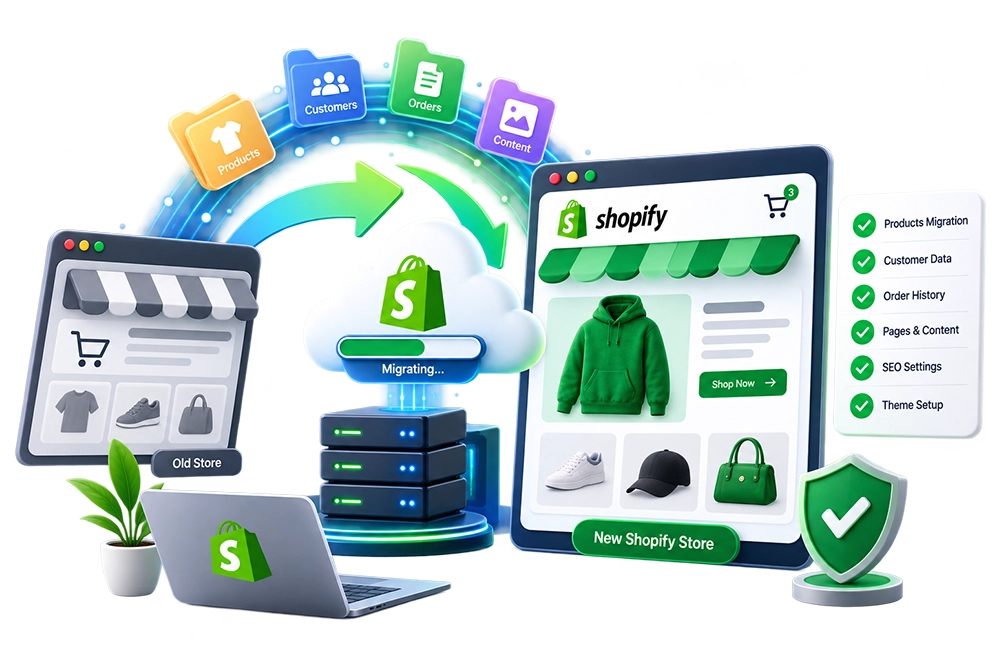
Move your ecommerce store to Shopify without treating migration as a simple copy-and-paste exercise. We plan the transition around the data, catalog structure, customer records, order history, content, URLs, and store functionality that need to be carried forward into the new environment.

From WooCommerce and other ecommerce platforms to Shopify-to-Shopify transfers, each migration is mapped around what exists today and what the destination store actually needs. Careful preparation, controlled data handling, validation, and launch checks help make the move more organized while reducing avoidable disruption.

Shopify Store Migration

Move to Shopify Without Leaving Important Store Data Behind

Changing ecommerce platforms becomes complicated once a live store contains years of products, variants, customers, orders, collections, pages, images, URLs, and connected tools. Moving these elements without a clear migration plan can lead to missing records, broken relationships, inconsistent catalog data, or a destination store that does not reflect the structure of the business you are already running.

Rather than moving everything blindly, we first identify what needs to transfer, how the source data is organized, and where each element belongs in Shopify. The migration is then handled in controlled stages, followed by validation and storefront checks, giving your business a more considered path from the existing platform to its new Shopify environment.

What We Migrate

Complete Shopify Store Migration Services

Every store carries a different mix of data and dependencies. We define the migration scope around the source platform and move the relevant ecommerce information into Shopify with attention to structure, relationships, and post-migration usability.

01

Product & Catalog Migration

Transfer applicable product information such as titles, descriptions, pricing, variants, images, inventory-related data, and catalog attributes while adapting the source structure to the way products are organized in Shopify.

02

Customer & Order Data Migration

Move supported customer records and relevant historical order information where the source data and Shopify capabilities allow it, then review migrated records for completeness and consistency.

03

Collections & Store Structure

Recreate or map important catalog groupings, collections, navigation relationships, and organizational elements so migrated products remain practical for customers to browse and for store administrators to manage.

04

Pages & Content Transfer

Bring across relevant informational content, page material, and available media while accounting for differences between the source platform and Shopify rather than assuming every content type has a direct equivalent.

05

URL & Redirect Planning

Compare important source URLs with their Shopify destinations and identify redirect requirements where appropriate, helping preserve useful paths when the platform change results in a different URL structure.

06

Platform & Shopify-to-Shopify Migration

Handle migrations from supported ecommerce platforms as well as applicable transfers between Shopify stores. The migration approach is adjusted to the source system, available data, destination configuration, and project scope.

Why Choose Us

A Migration Plan Built Around the Store You Already Have

No two ecommerce stores reach migration with the same catalog, history, integrations, or technical setup. We account for those differences before data starts moving, rather than applying one migration method to every project.

Source data is reviewed before migration so products, customers, orders, content, and other relevant records can be mapped to suitable destinations instead of transferred without context.

Platform differences are considered during planning because a feature, field, or content structure available in one ecommerce system may not behave the same way after moving to Shopify.

Validation is included as part of the migration workflow, with important migrated records and storefront areas reviewed to identify obvious gaps or inconsistencies before launch.

Existing URL structures are considered alongside the new store architecture so relevant redirect requirements can be identified rather than discovering broken paths only after the platform switch.

Migration scope stays focused on information and functionality that serve a defined purpose, avoiding the assumption that every outdated record or unnecessary element must follow the store to its new platform.

The destination store is reviewed as an operating ecommerce environment, not merely as a database receiving imported records, helping connect migrated information with the storefront customers will actually use.

Migration Roadmap

How We Move Your Store to Shopify

Migration is handled as a sequence of assessment, mapping, transfer, validation, and launch activities. This gives us checkpoints throughout the move instead of waiting until the end to discover whether critical information transferred correctly.

01

Source Store Assessment

We examine the current platform, catalog, available data, content, integrations, URL structure, and other migration requirements to understand what needs to move and what requires additional consideration.

02

Data Mapping & Migration Scope

Source information is mapped against Shopify's structure and the agreed destination setup. This stage defines which records will transfer, how they will be handled, and where platform differences need to be addressed.

03

Destination Store Preparation

The Shopify environment is prepared for the incoming catalog and other agreed information, including relevant organizational elements needed to receive and manage migrated data.

04

Data Transfer & Configuration

Agreed products, records, content, and other supported information are moved into Shopify using an approach appropriate to the source platform, available data, and migration scope.

05

Validation & Store Review

Migrated information is checked against the source where appropriate, while important storefront areas and relationships are reviewed to identify missing data, inconsistencies, or configuration issues requiring attention.

06

Final Sync & Launch Transition

For projects that require it, final changes made during the migration window are addressed according to the agreed approach before the destination store is prepared for the platform transition and post-migration checks.

FAQ

Frequently Asked Questions

Moving an established store raises practical questions about products, customers, orders, URLs, platform differences, and business continuity. These answers cover some of the most common considerations before migrating to Shopify.

Can you migrate my existing website to Shopify?

Migration may be possible depending on your current platform, available data, store structure, and the information that needs to move. We first assess the source store and determine how its relevant ecommerce data can be mapped into Shopify.

Can you handle a WooCommerce to Shopify migration?

Yes, WooCommerce to Shopify migration can include applicable products, variants, customers, order information, content, and other agreed data. The exact scope depends on the source store and how its information needs to be represented in Shopify.

Can products be migrated from WooCommerce to Shopify?

Product data can be transferred where suitable source information is available. Variants, images, pricing, descriptions, and other product details need to be mapped carefully because WooCommerce and Shopify organize certain catalog information differently.

Can you migrate one Shopify store to another?

Yes, applicable data can be moved between Shopify stores depending on what needs to transfer and what can be recreated or imported in the destination environment. Requirements are reviewed before deciding on the migration approach.

What happens to existing URLs when migrating to Shopify?

Some URLs may change because platforms use different structures. Important source and destination paths should therefore be reviewed, with appropriate redirects considered where relevant rather than assuming every existing URL will remain identical.

How long does a Shopify store migration take?

The timeline depends on catalog size, source platform, data quality, historical records, content, integrations, custom requirements, and the amount of validation needed. The store should be assessed before a realistic migration scope and schedule are established.

Planning to Move Your Store to Shopify?

Tell us which platform you are moving from and what needs to come with you. We can review your existing store, map the migration requirements, and plan a structured transition for your catalog, customer data, content, URLs, and other essential ecommerce information.