
Theme Performance Review
Inspect theme structure, front-end assets, template behavior, repeated code, and storefront components that may be adding unnecessary processing or page weight across important customer journeys.
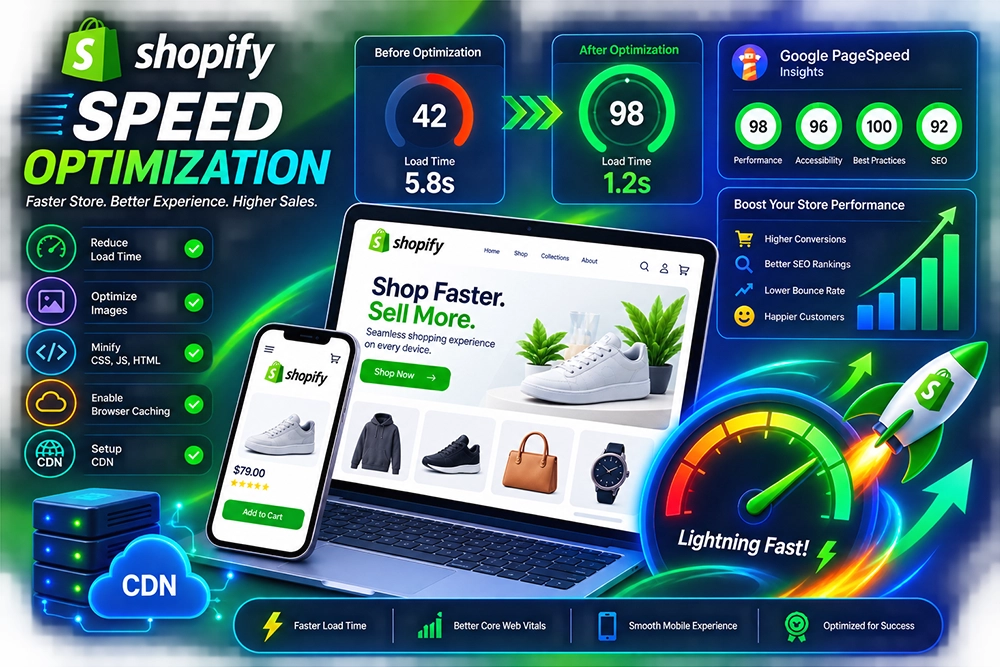
Reduce avoidable storefront delays by identifying the technical elements that slow down your Shopify store. Theme code, third-party apps, heavy scripts, oversized media, duplicate functionality, and inefficient page components can all add unnecessary weight to the customer experience.
Our Shopify speed optimization work starts with diagnosis rather than random changes. We review where performance is being lost, prioritize the issues that can realistically be improved, and refine the storefront without stripping away functionality the business still depends on.
Slow Shopify pages are rarely caused by a single issue. A theme may load more code than necessary, apps can inject scripts across pages where they are not needed, images may be heavier than the layout requires, and repeated customizations can gradually increase storefront complexity. The result is often a store that feels slower even though no individual change seemed significant on its own.
Speed optimization works best when those contributors are examined together. We review the theme, scripts, apps, media, page structure, and front-end behavior to identify the most meaningful bottlenecks, then make targeted improvements while preserving the features and customer journeys the store still needs.
Performance work should focus on what actually slows the store down. We review the technical weight added by themes, scripts, media, apps, and page components so improvement efforts are directed toward measurable sources of friction rather than generic speed tweaks.
Inspect theme structure, front-end assets, template behavior, repeated code, and storefront components that may be adding unnecessary processing or page weight across important customer journeys.
Review third-party scripts and app-related code for duplication, unnecessary loading, or storefront overhead, then identify where implementation can be streamlined without breaking required functionality.
Assess product images, banners, media-heavy sections, and loading behavior so visual content remains useful without placing avoidable weight on pages that customers need to navigate quickly.
Identify unnecessary assets, repeated components, oversized resources, and inefficient front-end patterns that increase the amount of work required to render important storefront pages.
Review storefront behavior on smaller screens where connection quality, device performance, responsive assets, and interface complexity can make page-speed issues more noticeable to customers.
Recheck priority pages after optimization to compare technical behavior, confirm important functionality still works, and identify remaining constraints that require a broader development decision.
Speed work can become counterproductive when features are removed simply to improve a score. We separate unnecessary overhead from functionality that supports merchandising, customer experience, analytics, and operations so optimization does not come at the expense of the store itself.
Performance issues are diagnosed before changes are made, reducing the risk of spending time optimizing areas that are not meaningful contributors to the actual storefront slowdown.
App and script decisions consider business purpose as well as technical cost, helping distinguish necessary integrations from features that add overhead without enough value.
Optimization is reviewed across important templates rather than assuming improvements on the homepage automatically solve product, collection, cart, or content-page performance.
Mobile behavior receives specific attention because resource-heavy storefronts can create a noticeably different experience on smaller devices and less capable connections.
Existing custom code is considered before cleanup so changes do not accidentally remove functionality that other theme components or business workflows depend on.
Remaining limitations are identified clearly when they depend on third-party tools, platform constraints, or deeper architectural changes rather than being presented as guaranteed fixes.
Speed optimization follows a diagnose-prioritize-improve-validate workflow. We establish where performance is being lost first, then work through the highest-value technical improvements before reviewing the storefront again to understand what changed and what constraints remain.
We examine priority storefront pages, current performance indicators, theme behavior, apps, scripts, media, and customer-facing areas to establish where optimization work should begin.
Technical contributors are separated into meaningful categories such as theme assets, third-party scripts, media, repeated code, page components, and implementation overhead.
Potential improvements are ranked according to likely impact, complexity, dependencies, and the importance of the functionality involved before implementation begins.
Agreed improvements are applied across the relevant theme code, scripts, assets, media, or storefront components while maintaining required functionality and layout behavior.
Important customer journeys are reviewed after technical changes to confirm layouts, interactions, apps, navigation, and responsive behavior still operate as intended.
Priority pages are reassessed after the work is completed so remaining bottlenecks, third-party constraints, and future performance opportunities can be identified separately.
Store speed depends on themes, apps, scripts, media, page complexity, devices, and third-party services. These answers cover the practical questions that usually come up before performance optimization begins.
Common contributors can include heavy theme code, unnecessary scripts, multiple apps, oversized images, complex page sections, duplicate functionality, and third-party services. The actual cause needs to be diagnosed within the specific store.
Some improvements can often be made without changing the visible design significantly, but the available options depend on the theme, media, apps, scripts, and the technical causes behind the current performance issues.
They can. Some apps add scripts, storefront components, network requests, or additional processing. Their actual impact varies, so each app should be evaluated against both its technical cost and the business function it provides.
Mobile performance can require specific attention because device capability, responsive assets, content density, scripts, and network conditions may expose issues that are less obvious on desktop environments.
No specific score should be guaranteed because performance measurements can be influenced by theme architecture, third-party apps, external services, platform behavior, page content, testing conditions, and other factors outside a single optimization change.
Cost depends on the current theme, number of apps and scripts, page complexity, custom code, media requirements, scope of optimization, and the amount of testing or deeper technical work required to address the identified bottlenecks.
Share your store and the pages where performance feels slow. We can review the theme, apps, scripts, media, and storefront behavior to identify the biggest technical bottlenecks and prioritize the speed improvements worth making.